

Add Domain to Resend
First, log in to your Resend Account and add a domain.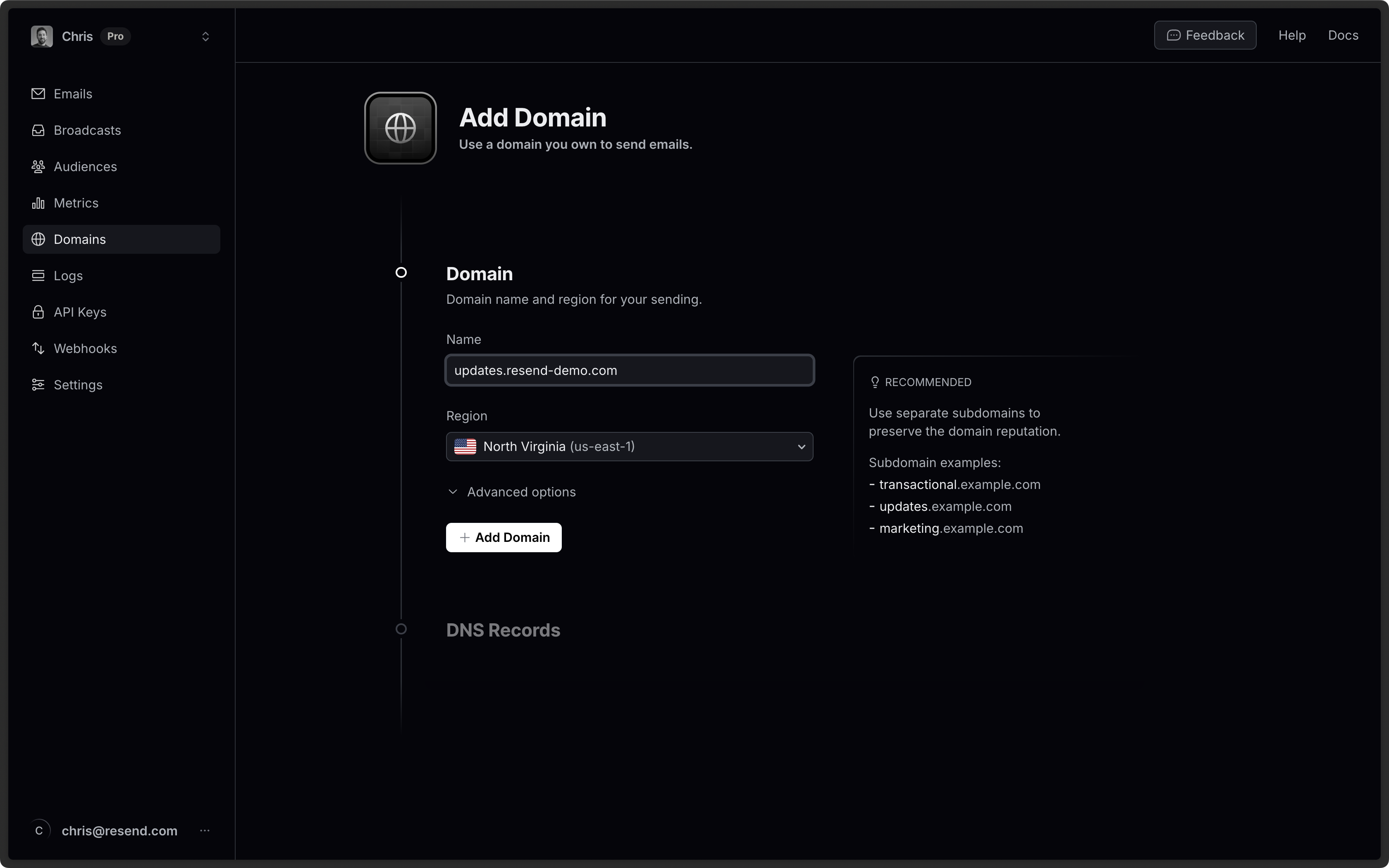
Log in to Strato
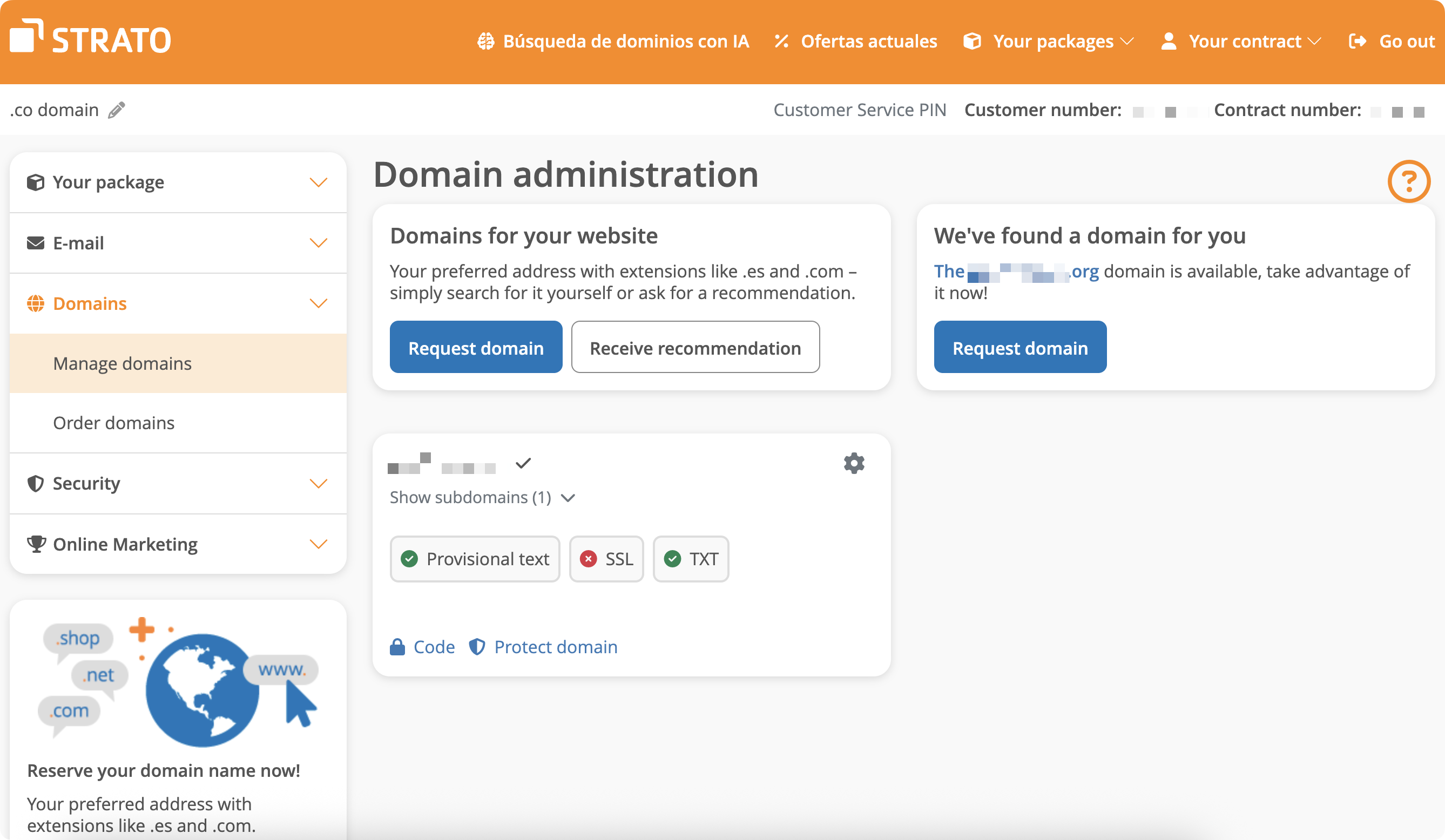
Log in to your Strato account:- In the left-hand navigation, go to Domains > Manage Domain.
Add MX SPF Record
- On the domain page, click on the gear icon to redirect to Settings.
- Create a new subdomain named
send. - Navigate to the subdomain settings.
- Go to the
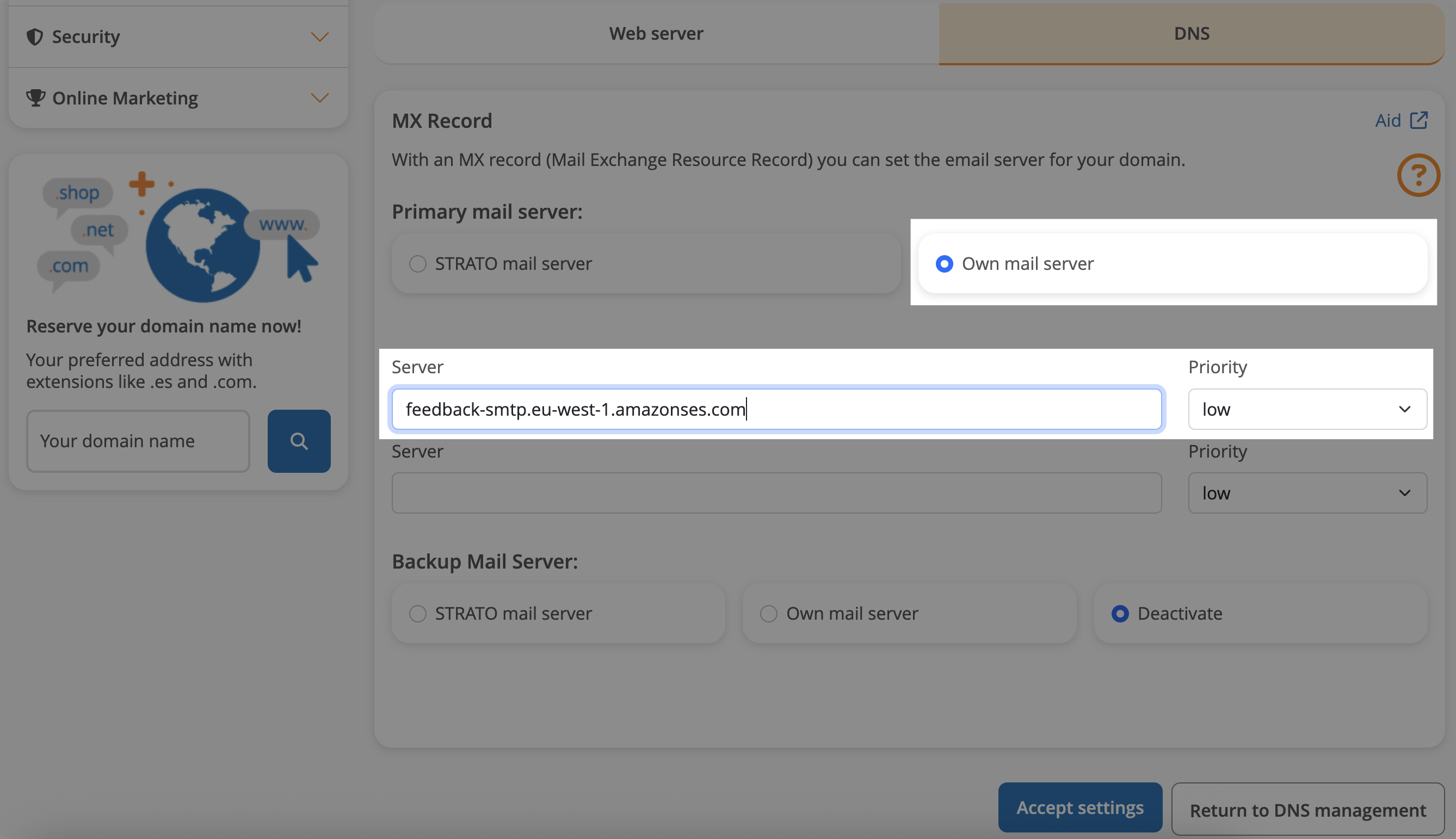
DNStab, you’ll see a list of DNS records you can update. Click onmanageMX record. - Select own mail server.
- Copy MX value from Resend into
Serverfield. - Use the default priority
Low. - Save settings.
By default, Strato domains use Strato mail server which uses
mail as their
send path. You will need to bypass this default behavior by creating a
subdomain and setting the MX record there.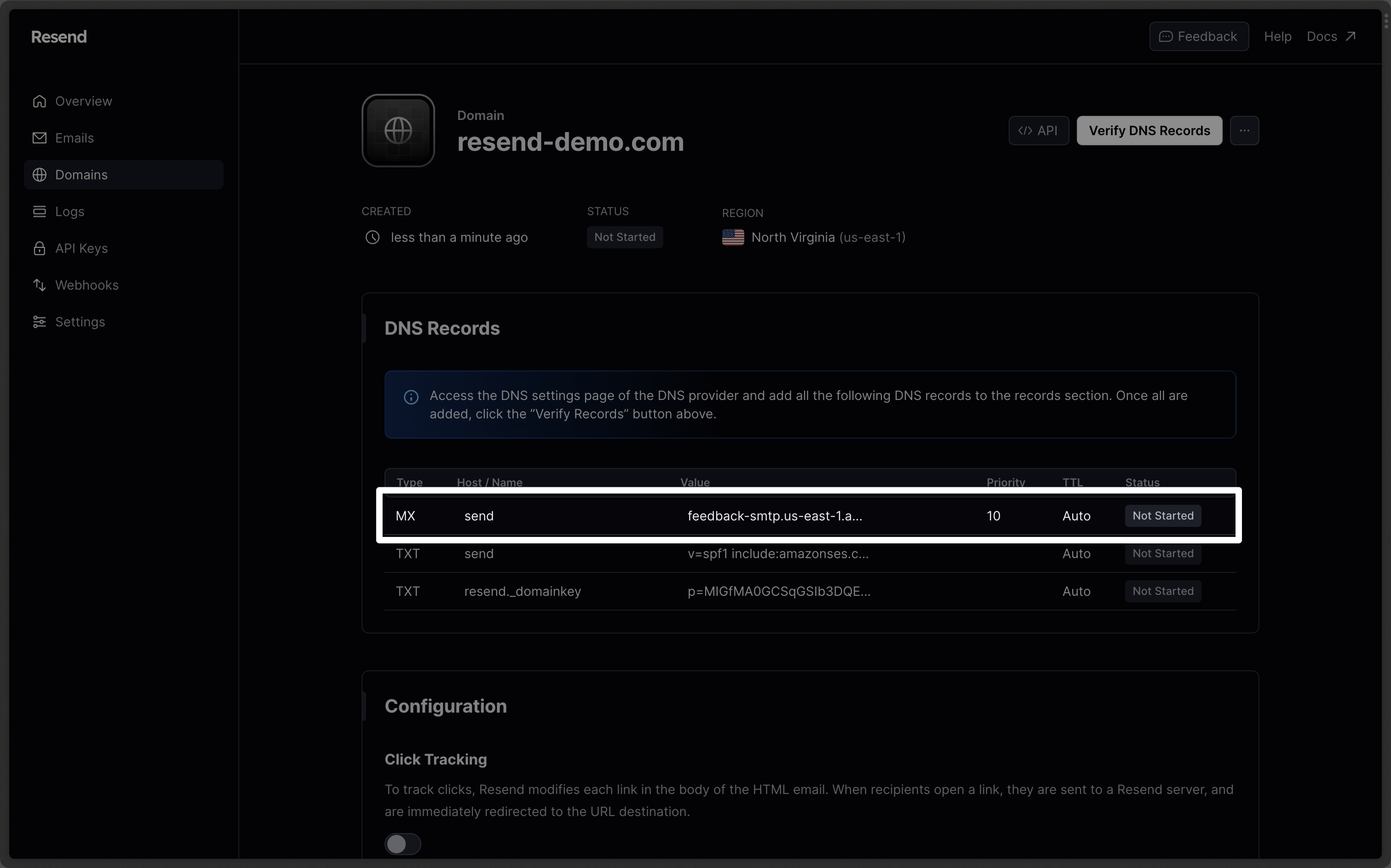
| Strato | Resend | Example Value |
|---|---|---|
| Type | Type | MX Record |
| Name | Name | send |
| Mail server | Value | feedback-smtp.eu-west-1.amazonses.com. |
| Priority | Priority | Low |
Add TXT SPF Record
On the base domain settings:- Go to the
DNStab. - Manage TXT and CNAME records.
- On the bottom, click
Create another record. - Choose
TXTtype. - Add
sendfor thenamerecord. - For
valueinputv=spf1 include:amazonses.com ~all. - Save settings.
Strato provides a standard DMARC record similar to Resend’s recommended value:
v=DMARC1;p=reject;.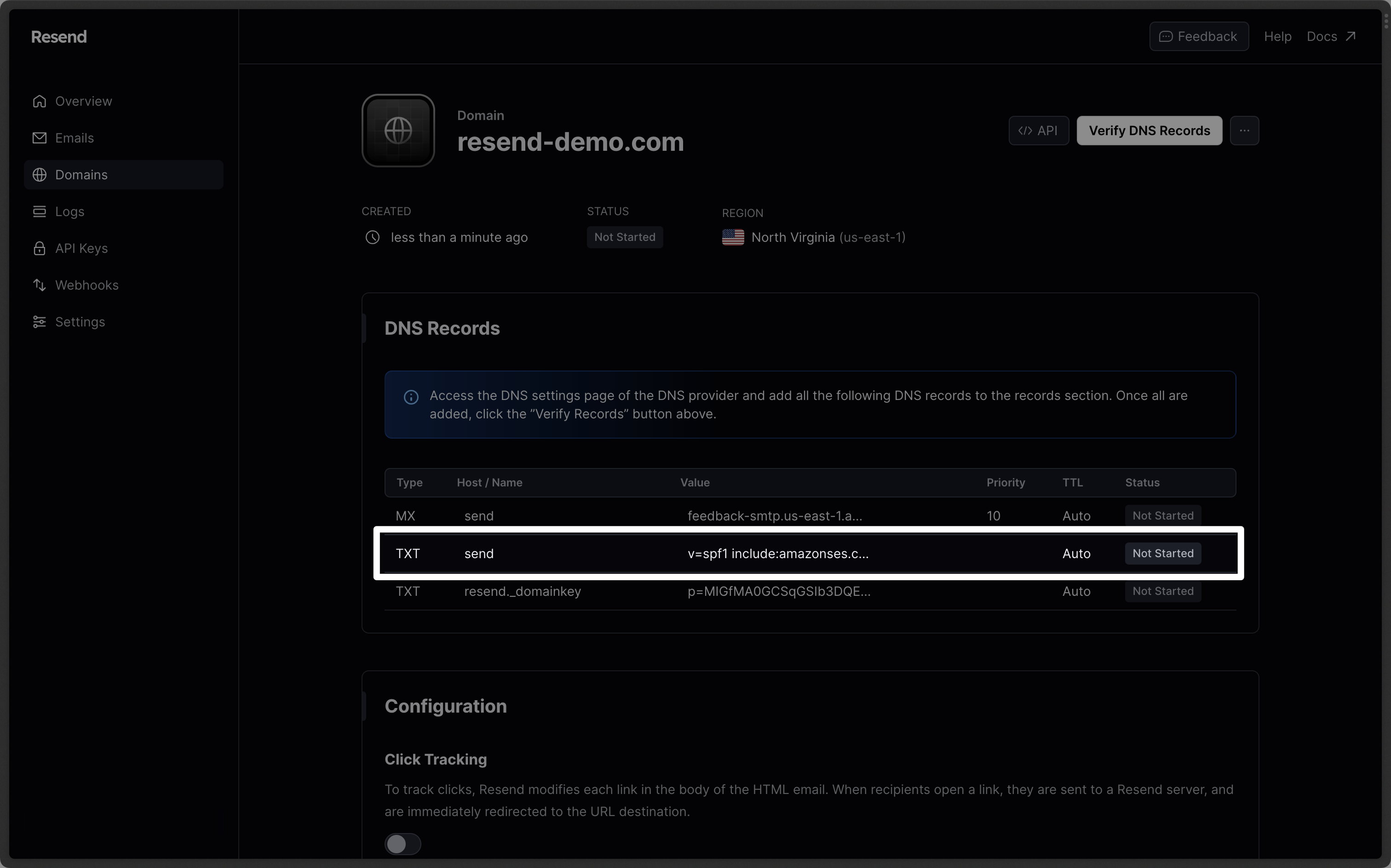
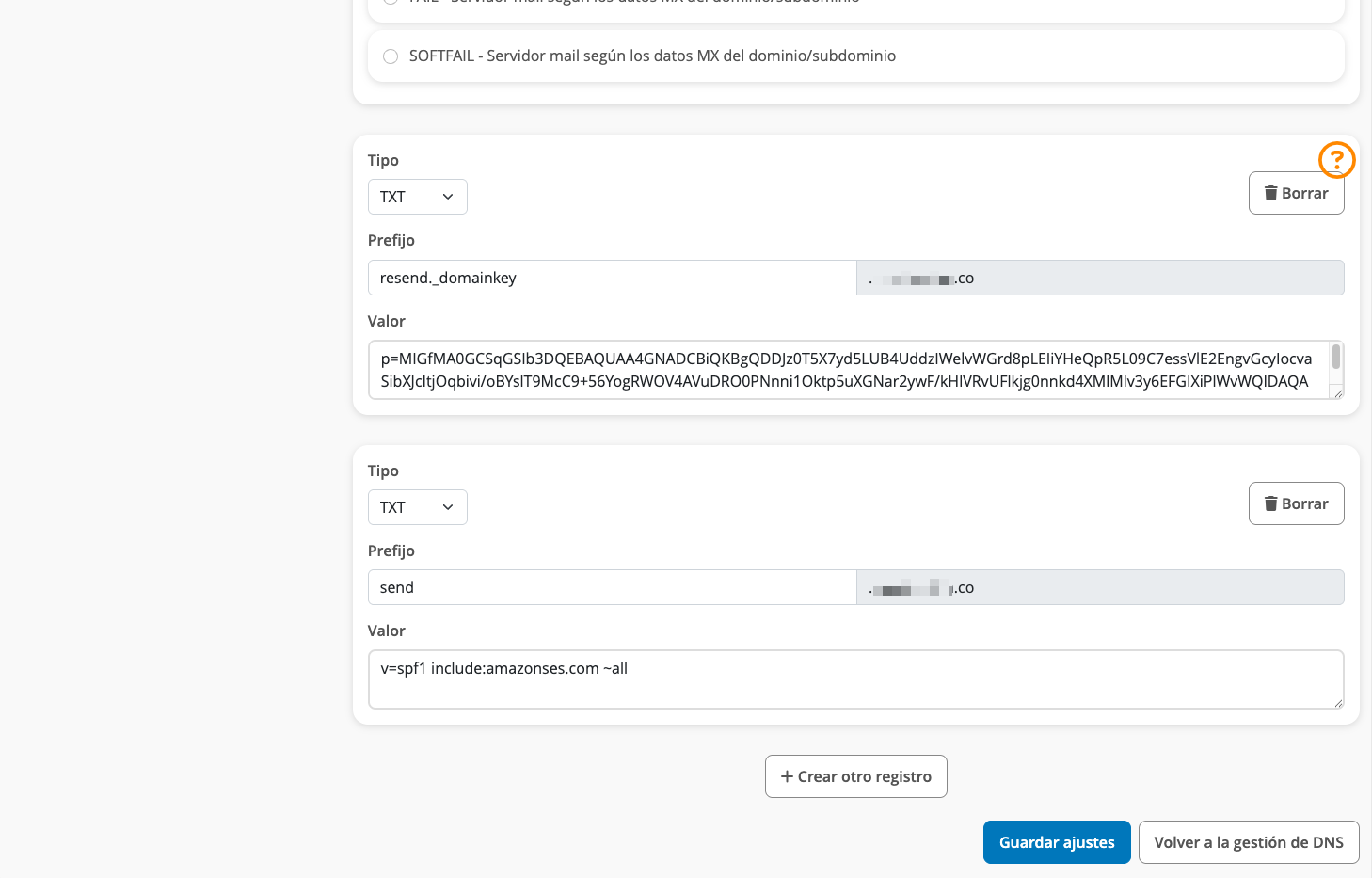
| Strato | Resend | Example Value |
|---|---|---|
| Type | Type | TXT Record |
| Name | Name | send |
| Value | Value | v=spf1 include:amazonses.com ~all |
Add TXT DKIM Records
On the same TXT and CNAME manage page:- Click
Create another record. - Choose
TXTtype. - Add
resend._domainkeyfor theNamerecord. - Copy the record value from Resend into the TXT value field.
- Save settings.
Omit your domain from the record values in Resend when you paste. Instead of
resend._domainkey.example.com, paste only resend._domainkey (or
resend._domainkey.subdomain if you’re using a subdomain).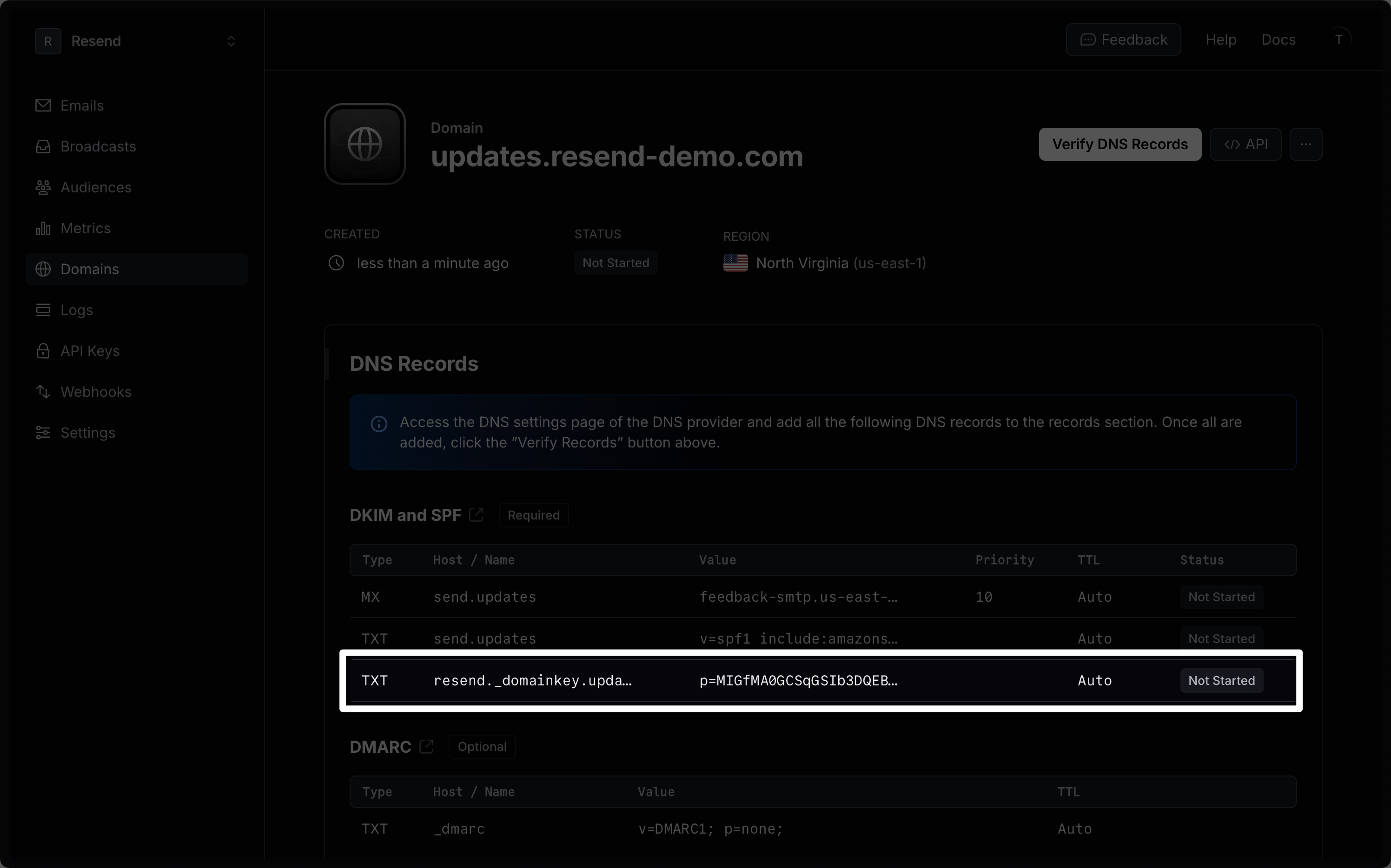
| Strato | Resend | Example Value |
|---|---|---|
| Type | Type | TXT Record |
| Name | Name | send |
| Value | Value | p=example_demain_key_value |
Copy DKIM value using the small copy icon in Resend. DKIM records are
case-sensitive and must match up exactly.
Receiving Emails
If you want to receive emails at your domain, toggle the “Receiving” switch on the domain details page.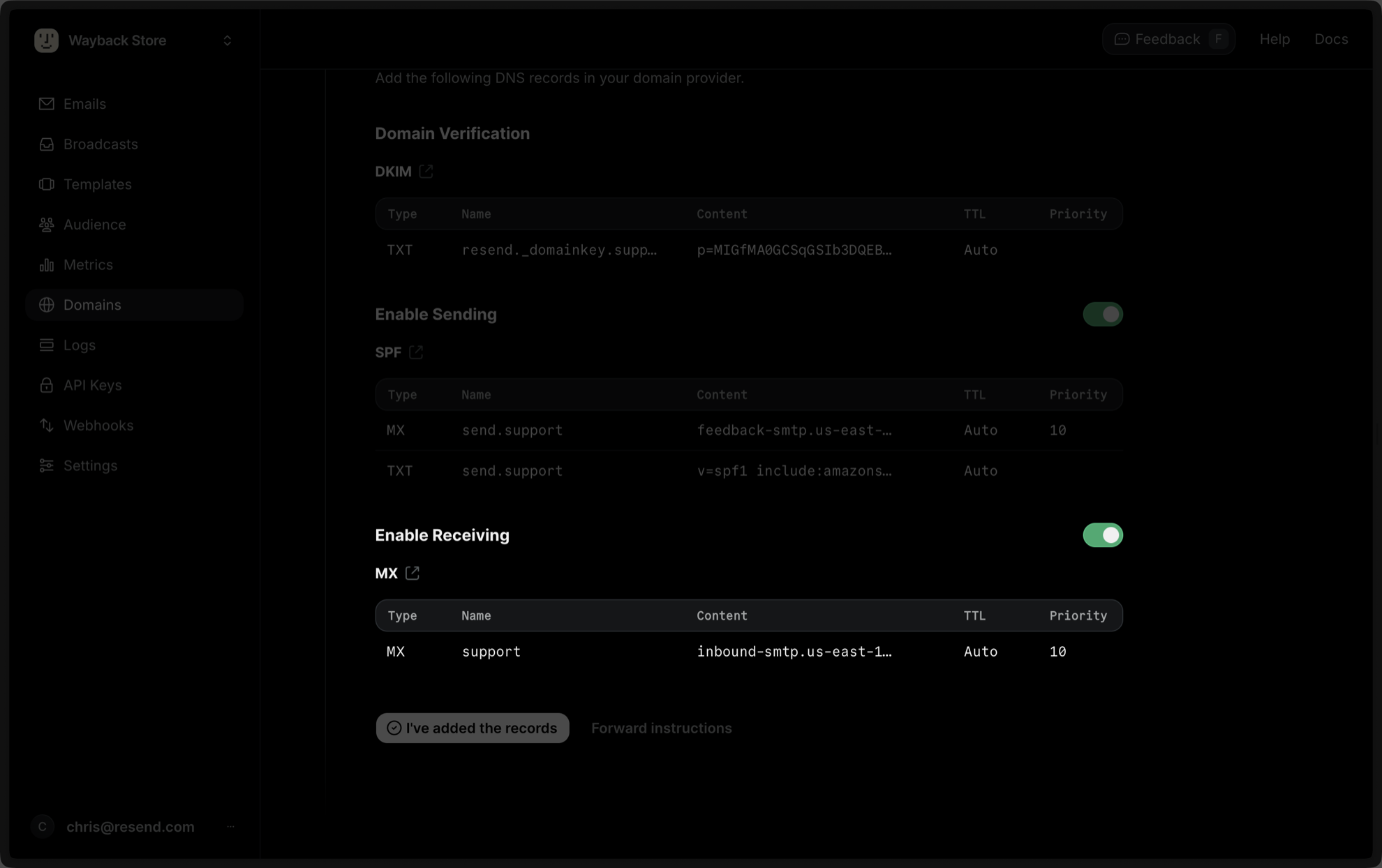
- Create a new subdomain named
inbound(or whatever your subdomain is). - Navigate to the subdomain settings.
- Go to the
DNStab and click onmanageMX record. - Select own mail server.
- Copy MX value from Resend into
Serverfield. - Use the default priority
Low. - Save settings.
| Strato | Resend | Example Value |
|---|---|---|
| Type | Type | MX Record |
| Name | Name | inbound |
| Mail server | Content | inbound-smtp.us-east-1.amazonaws.com. |
| Priority | Priority | Low |
Complete Verification
Now click Verify DNS Records on your Domain in Resend. It may take a few hours to complete the verification process (often much faster).Troubleshooting
If your domain is not successfully verified, these are some common troubleshooting methods.Resend shows my domain verification failed.
Resend shows my domain verification failed.
Review the records you added to Strato to rule out copy and paste errors.
It has been longer than 72 hours and my domain is still Pending.
It has been longer than 72 hours and my domain is still Pending.